
Get Bananas
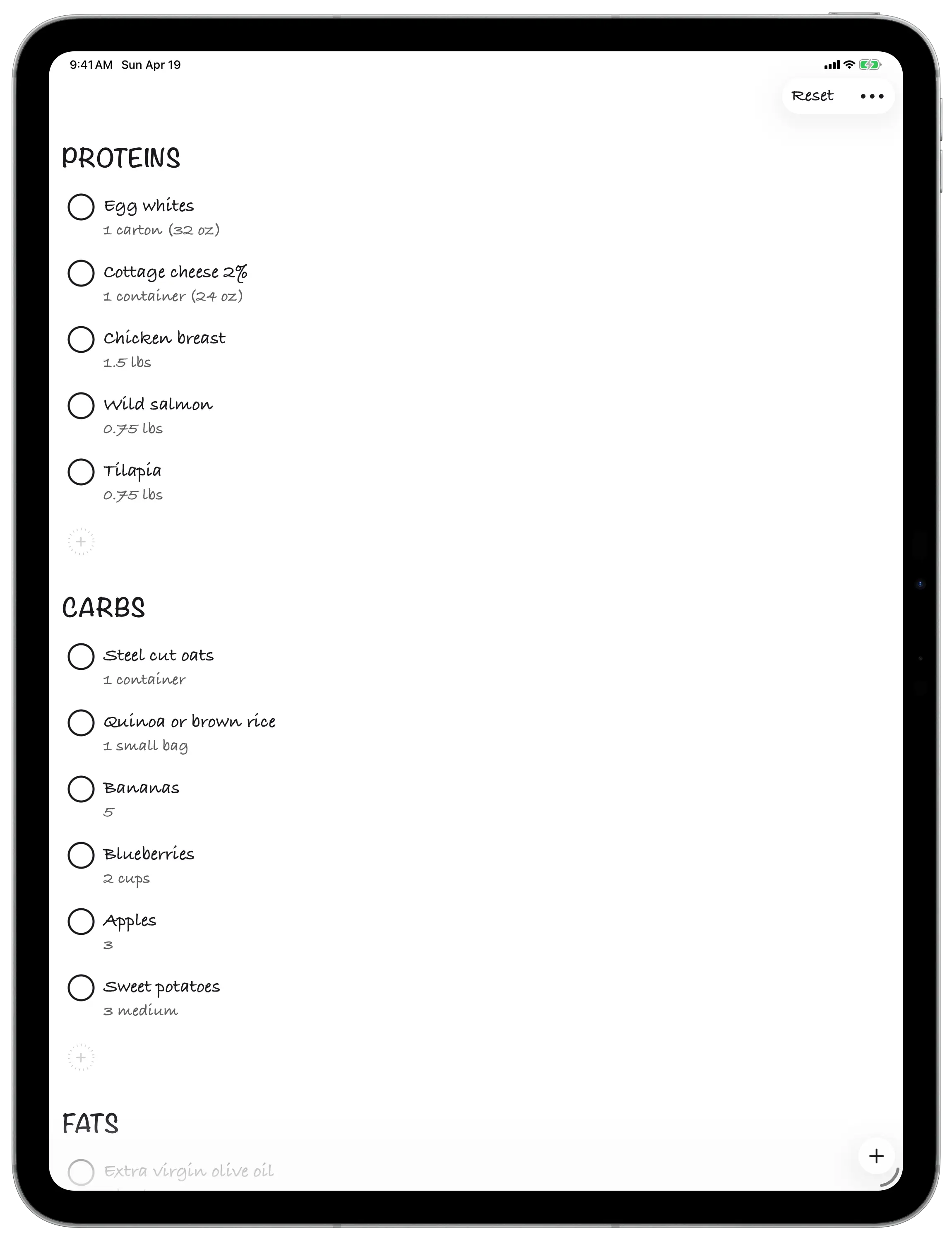
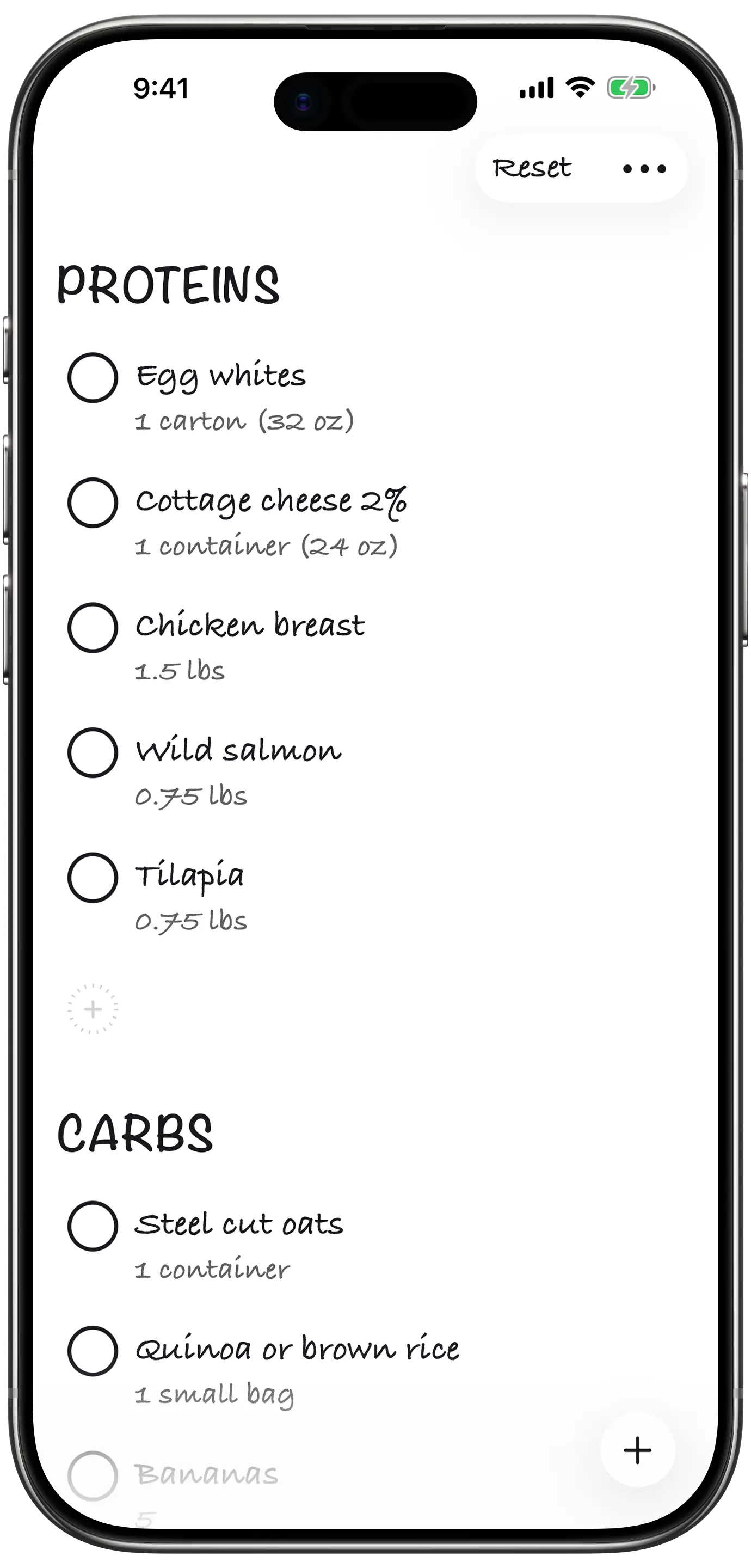
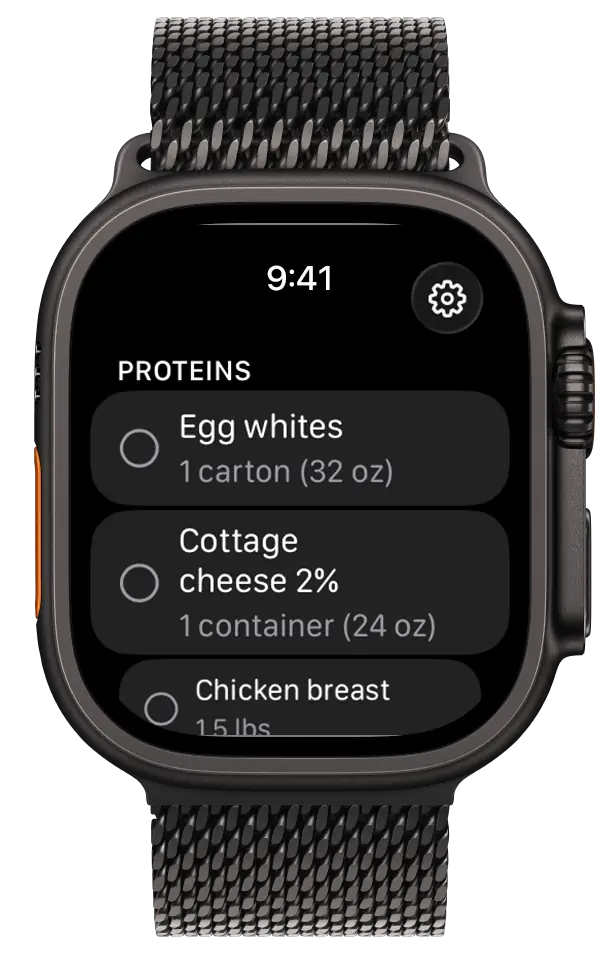
A handwritten-style shopping list for iPhone, iPad, and Apple Watch, on the App Store now. Twenty-nine languages, each with hand-curated seed shopping data so the first list a user sees feels native, not translated. No server, no account, no API key. One JSON file in your iCloud container is the entire backend. The Mac app — with a Claude Desktop extension built in — is on the way.

What's in the app
- One list, every device. SwiftUI on iPhone, iPad, and Apple Watch today — the Mac app is on the way. Single Xcode project, single source of truth.
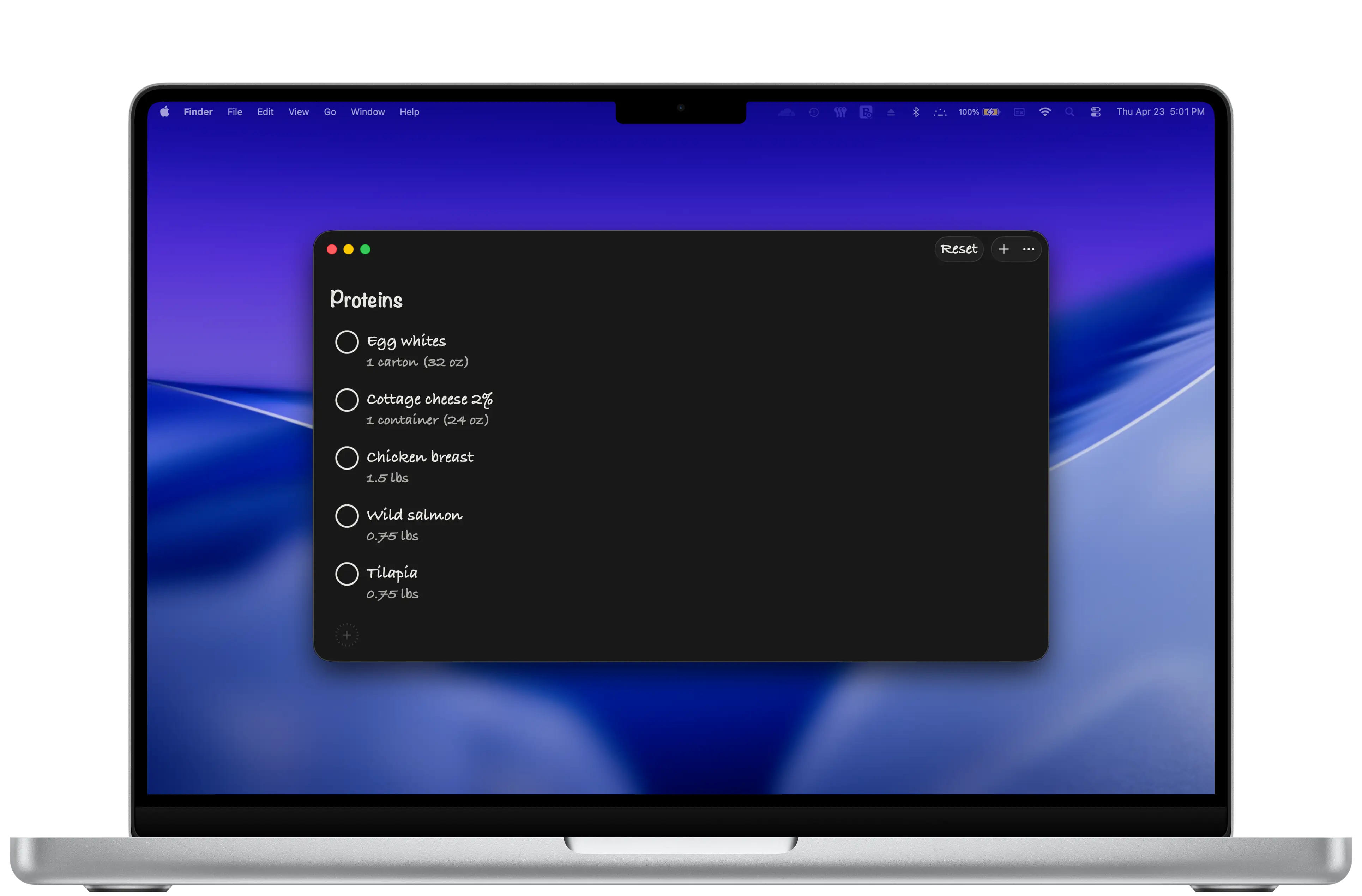
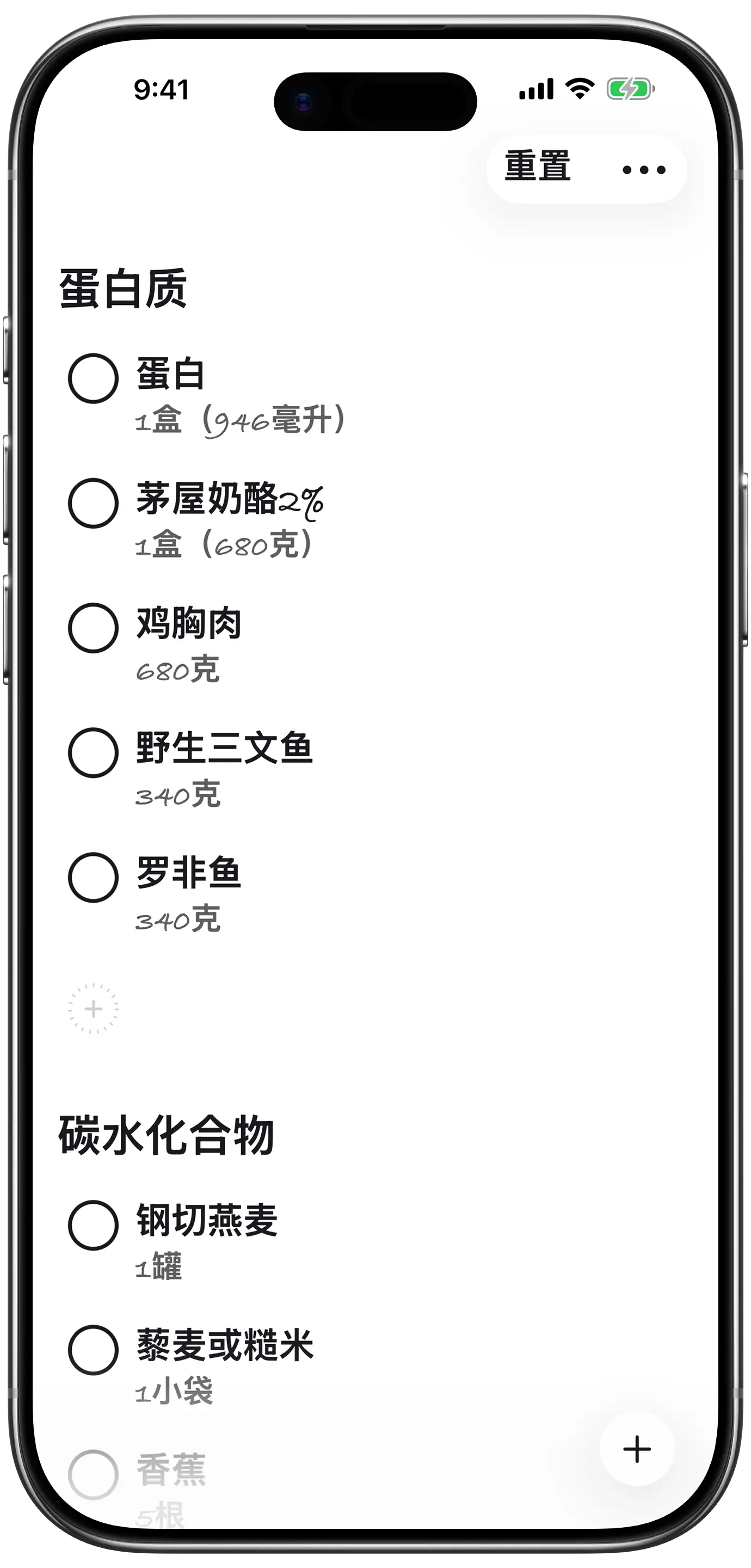
- Handwritten interface. Caveat letterforms for section headers. Pen-thin lines for dividers. Hollow circles for unchecked items. Every strikethrough is hand-drawn at runtime, slightly different from the one before it.
- Claude Desktop extension, coming with the Mac app. The Mac app ships with the
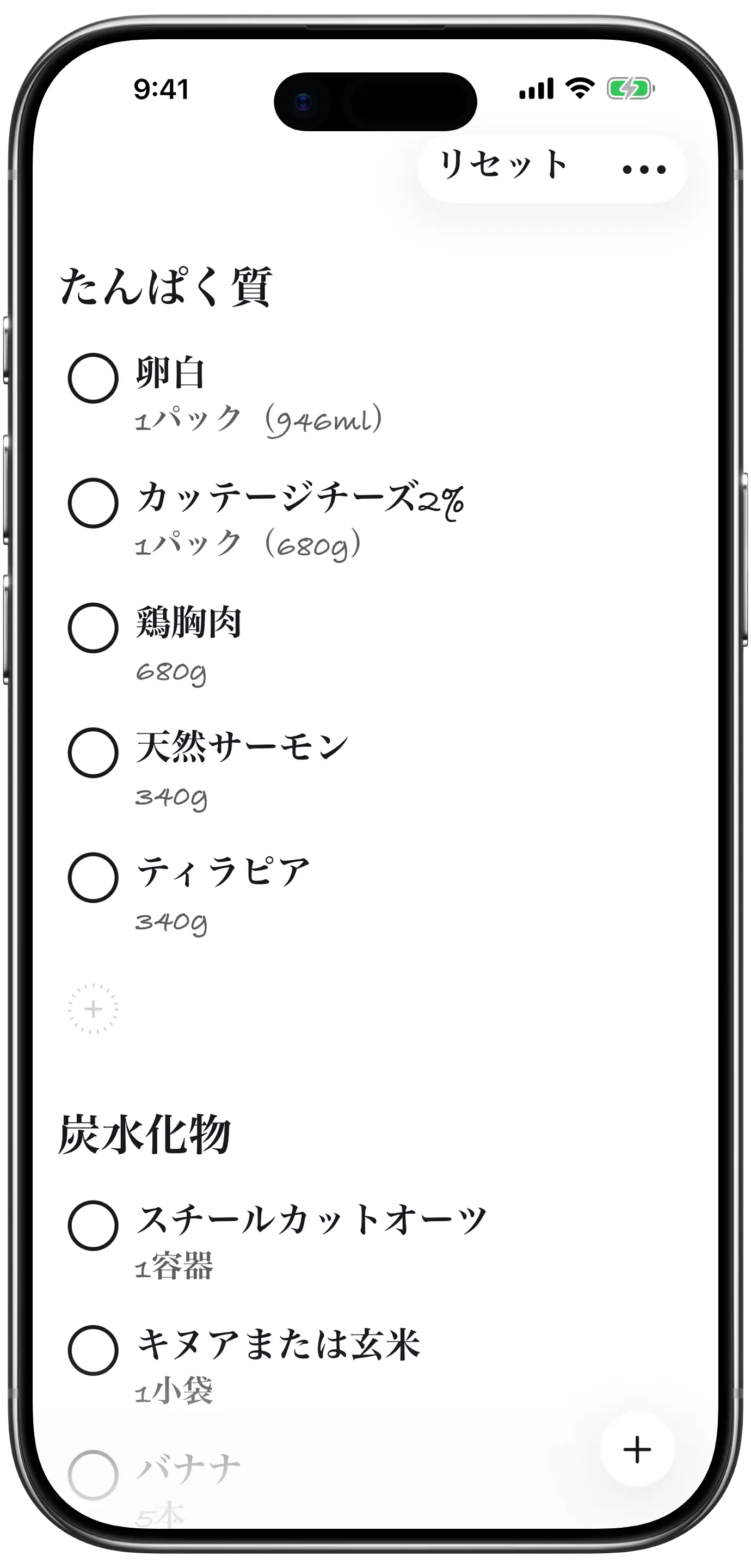
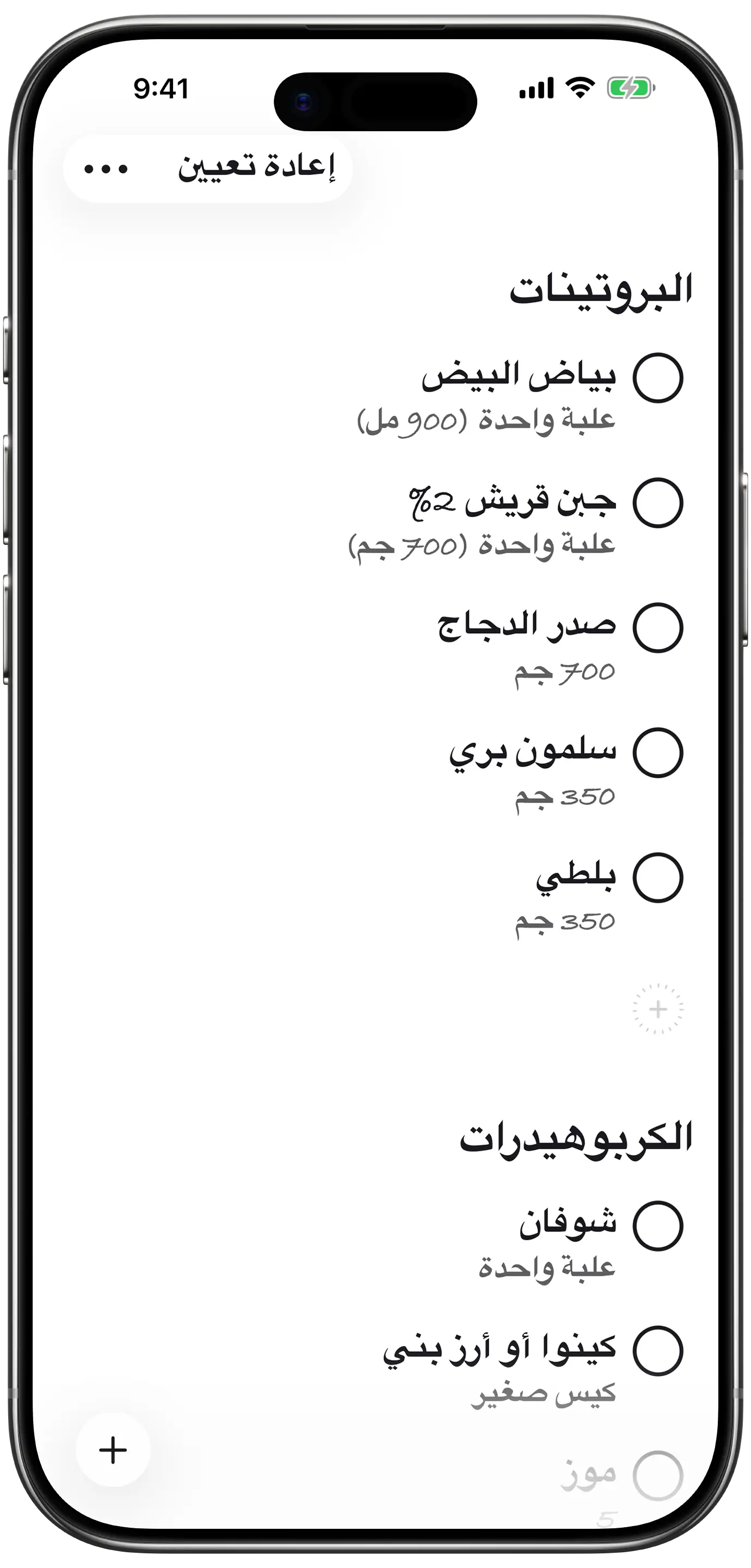
get-bananas.mcpbbundle inside it. Install Extension from Settings, accept the Claude Desktop prompt, and Claude can manage your list in conversation. - 29 languages with native seed data. Hand-curated per locale — the Japanese user opens to tamagiro in a tanpaku-shitsu section; the Arabic user opens to biyad al-bayd in al-burutinat. Not a translated American grocery list.
- iCloud sync, no server. The list is a single JSON file in your private iCloud Drive container. Apple's free, encrypted-at-rest sync — end-to-end private when iCloud Advanced Data Protection is on.
- No account, no analytics, no API keys. The studio has no server in the loop, no record of who installed the app, no idea what you bought.
Why the studio shipped this
The studio shipped Get Bananas because shopping lists are written by hand, on paper, with a pen, and almost no app on the App Store reads that way. They're all spreadsheets pretending to be lists. The visual identity here is the product — you should look at it and feel like it could go in your pocket on a torn piece of notebook paper.
It also shipped because the Claude Desktop MCP extension API got good enough that putting a real, ambient AI surface inside a domestic app stopped being a research project and started being a feature. You ask "what's on my list?" while your hands are wet from doing dishes; the iPhone and the Mac and the Watch all show the answer two seconds later. That's the bar for what AI in a small app should feel like.
The full personal case study, including the architecture diagrams and the per-locale shopping-data research, lives on blakecrosley.com/work/get-bananas. This page is the studio's product overview.
The Claude Desktop extension, coming with the Mac app
The Mac version of Get Bananas is built and in final polish — it hasn't shipped to the App Store yet. Here's what it does: the Mac app's Settings has an Install Extension button. Tapping it opens the bundled get-bananas.mcpb file with NSWorkspace.shared.open(), which Claude Desktop registers as an extension and asks the user to confirm. The entire install is one OS-level call on a file shipped inside the app bundle — because the platform handed the studio the right primitive: a file format that means "register me with Claude."
Want the Mac app the day it lands?
One email when the Mac app ships. Nothing else, ever.
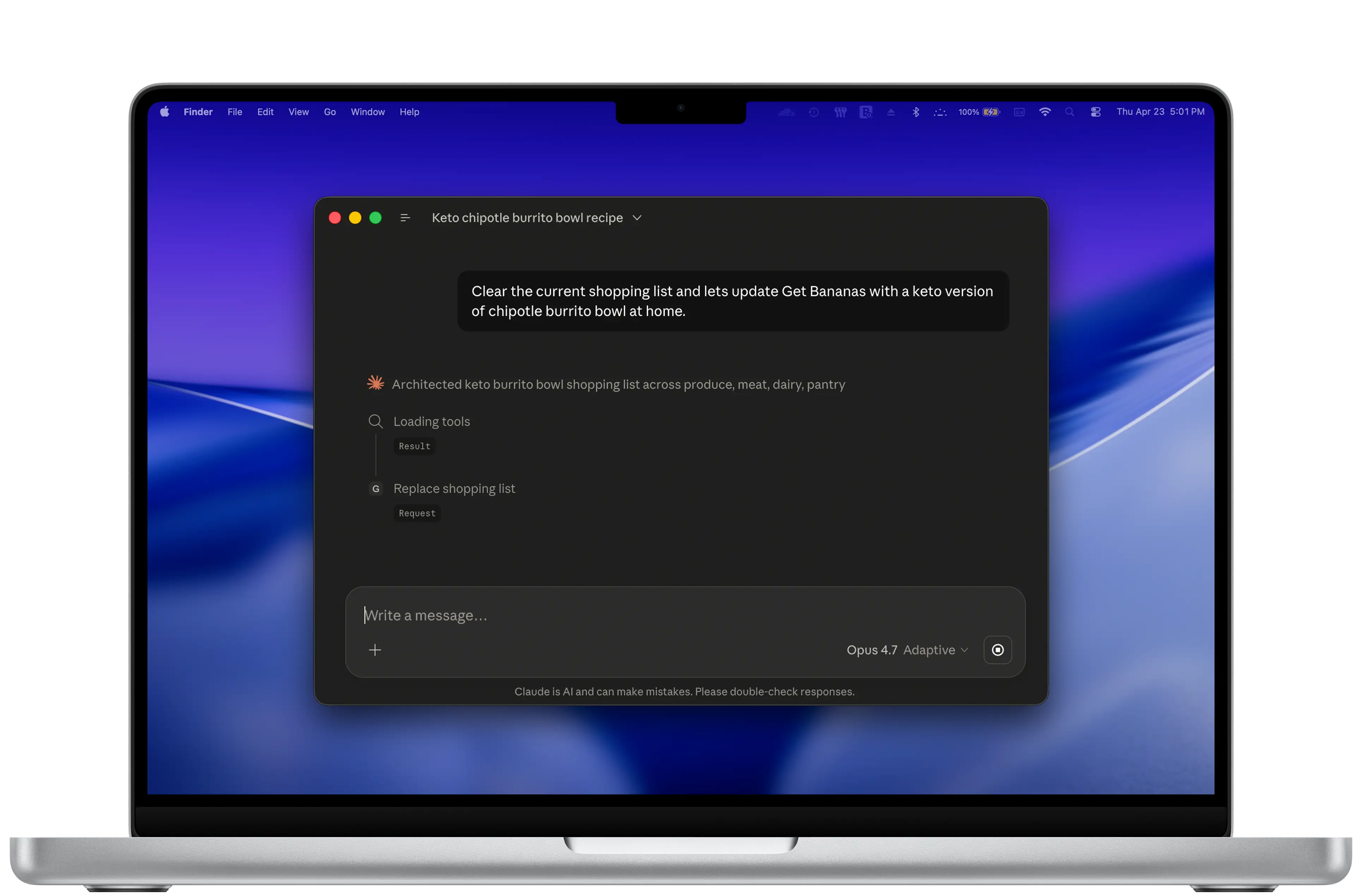
The extension is a Node.js MCP server bundled into the .mcpb. It exposes five tools: read the list, add an item, remove one, update one, or replace the whole list. There are no clever convenience helpers and no read-modify-write wrappers. The surface is small on purpose — it follows what a user would actually ask for in conversation.
There is no API key. There is no signup. There is no 941 Apps server in the loop. The MCP server reads and writes the same JSON file the iOS, iPad, Mac, and Watch apps all read and write, sitting in your own iCloud Drive container.
The studio expects this pattern — extension lives inside the app bundle, ships when the app ships, updates when the app updates — to matter for a lot of native apps. No separate registry, no per-user setup, no "copy this URL into a config file." If you want Claude to be able to do something inside your app, you put the something inside the app and let the OS introduce them.
One JSON file is the entire backend
The cross-device interchange is a single file in your own iCloud Drive: BananaList.json, in the Get Bananas container. The MCP server reads and writes that exact file. The iOS, iPad, Mac, and Watch apps read and write that exact file. iCloud handles the sync — Apple's free, encrypted-at-rest, end-to-end-private-when-Advanced-Data-Protection-is-on infrastructure. The studio's is none.
Every path the MCP server touches is a sibling of that JSON file. The lock file lives next to it (.lock, atomic writes, five-second timeout that self-cleans if it goes stale). Writes go to a process-tagged temp file (.tmp.{pid}) and then atomically rename onto the real path. The entire concurrency model — Claude vs. the running app — fits in one acquire/release function.
On each device, SwiftData is the local store. The iCloud JSON is the wire format. SwiftData stays fast and queryable on-device; the JSON stays simple and human-readable for sync and for Claude to manipulate. Two stores with one job each — neither tries to be both.
No 941 Apps server. No analytics. No login. No API key for Claude — you already authenticated with Claude Desktop. No subscription. The extension is open source so anyone curious can read the entire data path: it's the JSON file, and that's all it ever touches. Your shopping list never leaves your iCloud container through any infrastructure of the studio's.
The strikethrough is a SwiftUI Shape
Shopping lists are written by hand, on paper, with a pen. The app reads as that. Caveat-style handwritten letterforms for the section headers, light pen-thin lines for the dividers, hollow circles for the unchecked items. When you tap to check something off, the app draws a hand-drawn line through the text — and every line is slightly different.
The hand-drawn line is a custom SwiftUI Shape with twenty path segments. Each segment endpoint gets a small random vertical offset between -1.5 and +1.5 points. The result: every strikethrough drawn at runtime is slightly different from the one before. Across a list of twenty items, no two lines are identical — the way no two pen strokes ever are.
It is twelve lines of code. It is also the difference between an app that looks handwritten and one that feels handwritten. A static SVG strikethrough would have shipped on the same day, with the same pixel count, and read as decoration.
Twenty-nine languages, with real shopping data
The first list a Japanese user opens is not a translated American grocery run. It's tamagiro in a tanpaku-shitsu section — egg whites, in a Proteins section that uses the term you'd actually find on a shelf in Tokyo. Each non-English locale ships its own hand-curated SeedData-{locale}.json with culturally appropriate sample items and section names. Arabic gets biyad al-bayd in al-burutinat. Hebrew gets its own. Korean, German, French, Spanish, Polish, Portuguese, all the rest.
The studio researched what people actually buy in each market before generating the seed lists. The product reads as native because it has actually been adapted, not just translated. SwiftUI's .leading and .trailing directions handle the right-to-left mirroring for Arabic and Hebrew for free — the section header swaps to the right, the check circle swaps to the left of the text, the Reset and More buttons rotate to the opposite corner. The studio wrote zero RTL-specific code for any of it.
Frequently asked
What is Get Bananas?
A handwritten-style shopping list app for iPhone, iPad, and Apple Watch, on the App Store now. The interface reads as a hand-drawn list on paper. A Mac app that lets Claude read or update the list while your hands are full is on the way.
What devices does Get Bananas work on?
iPhone, iPad, and Apple Watch today, with the Mac app on the way. One Xcode project, SwiftUI on every target. Settings and the list itself sync through iCloud Drive.
What is the Claude Desktop extension for?
The upcoming Mac app ships with a Claude Desktop extension built in. Open Settings on the Mac, click Install Extension, and Claude Desktop pops up an install prompt. Accept it, and Claude can read your shopping list, add items, remove items, update items, or replace the whole list. There is no API key, no signup, and no 941 Apps server involved.
How does Get Bananas sync between devices?
Through iCloud Drive. The list lives in a single JSON file (BananaList.json) inside your private Get Bananas container. iCloud handles the sync — encrypted at rest by Apple, end-to-end private when iCloud Advanced Data Protection is enabled. The studio has no server in the loop.
Does Get Bananas need an account?
No. There is no signup, no email, no password, no API key. You already have an Apple ID; that's the only identity the app uses. The studio has no analytics, no telemetry, and no record of who installed the app.
What languages does Get Bananas support?
Twenty-nine. Each non-English locale ships its own hand-curated SeedData JSON with culturally appropriate sample items and section names — a Japanese user opens to tamagiro in a tanpaku-shitsu section, not a translated American grocery run. Arabic and Hebrew render right-to-left automatically via SwiftUI's semantic layout directions.
Why is the strikethrough hand-drawn?
The strikethrough is a custom SwiftUI Shape with twenty path segments, each endpoint getting a small random vertical offset between -1.5 and +1.5 points. Every line drawn at runtime is slightly different from the one before, the way no two pen strokes ever are. Twelve lines of code; the difference between an app that looks handwritten and one that feels handwritten.
Where is the full case study?
Blake's personal case study — the architecture diagrams, the MCP server design, the per-locale shopping-data research, and the design philosophy — lives at blakecrosley.com/work/get-bananas. This page is the studio's product overview.